
If you have ever stared at a bag chart and wondered why your pet still gains or loses weight on the “recommended” amount, you are not alone. Bag guidelines are built for an average pet that does not exist—see why feeding charts on bags often miss the mark. A better approach is to start from your individual pet, estimate their daily calorie need, then convert calories into cups, cans, or grams using the numbers on your actual food label.
That is what our pet food portion calculator is for. In the app it is titled Pet Food Portion Calculator; it walks you through a short questionnaire and outputs estimated daily calories (including RER and MER) plus suggested daily and per-meal portions once you enter how many kilocalories (kcal) are in each unit of food you feed.
This article explains what the tool does, what you need from your food bag or can, and when it is appropriate to use—and when your veterinarian should lead the plan instead.
Walkthrough: what you’ll see in the app
Open the pet food portion calculator and work through five short steps. Below are real screens from the flow (example pet shown for illustration).
Step 1 — Pet type. Choose Dog or Cat, then tap Start.
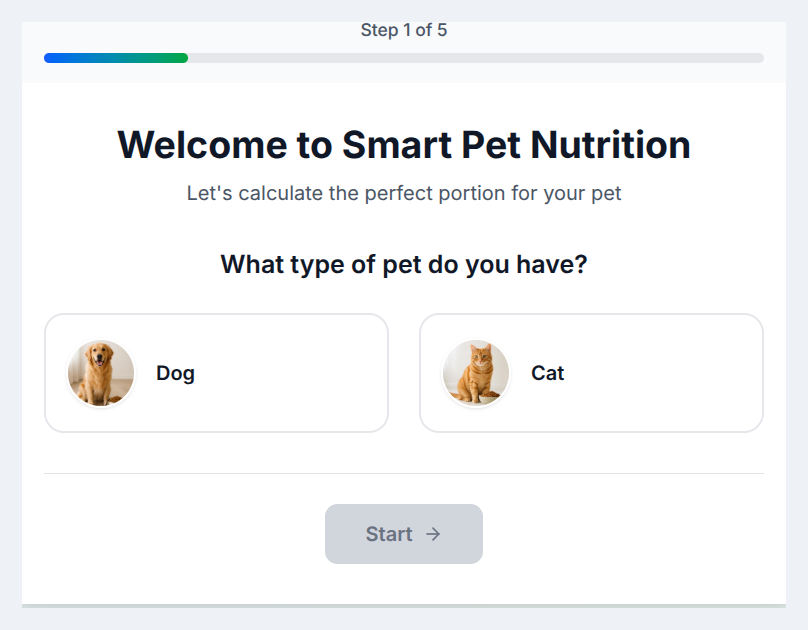
Step 1 of 5: Welcome — choose dog or cat.
Step 2 — Pet details. Optional name, breed, and age group (puppy/kitten, adult, or senior). These help frame life-stage energy needs.
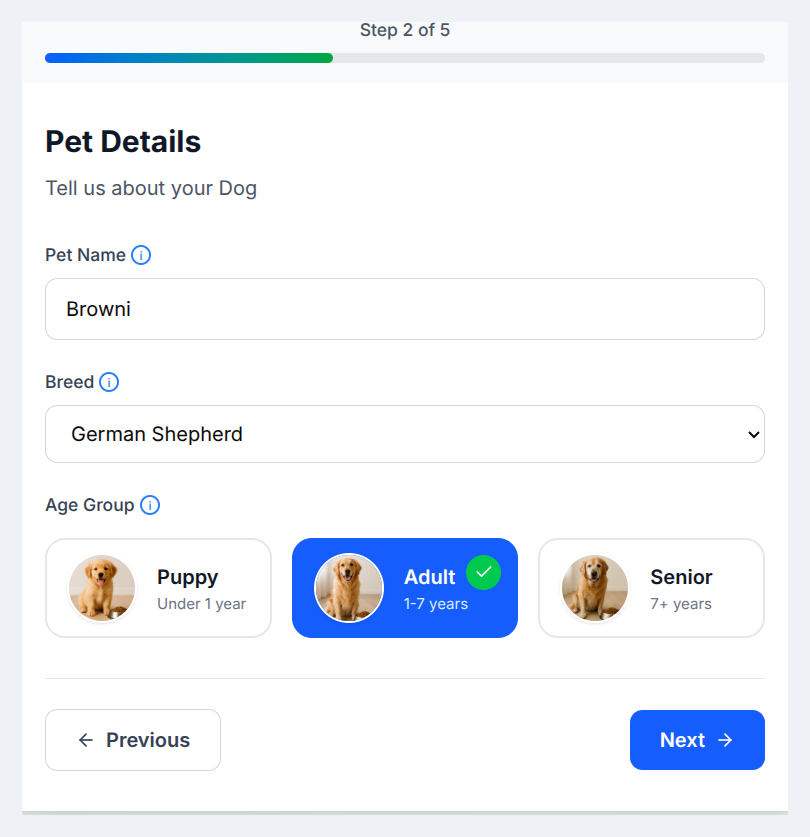
Step 2 of 5: Pet details — breed and age group.
Step 3 — Body condition. Spayed/neutered, weight (kg or lb), and body condition (too thin through obese)—the same ideas as BCS, in plain language.
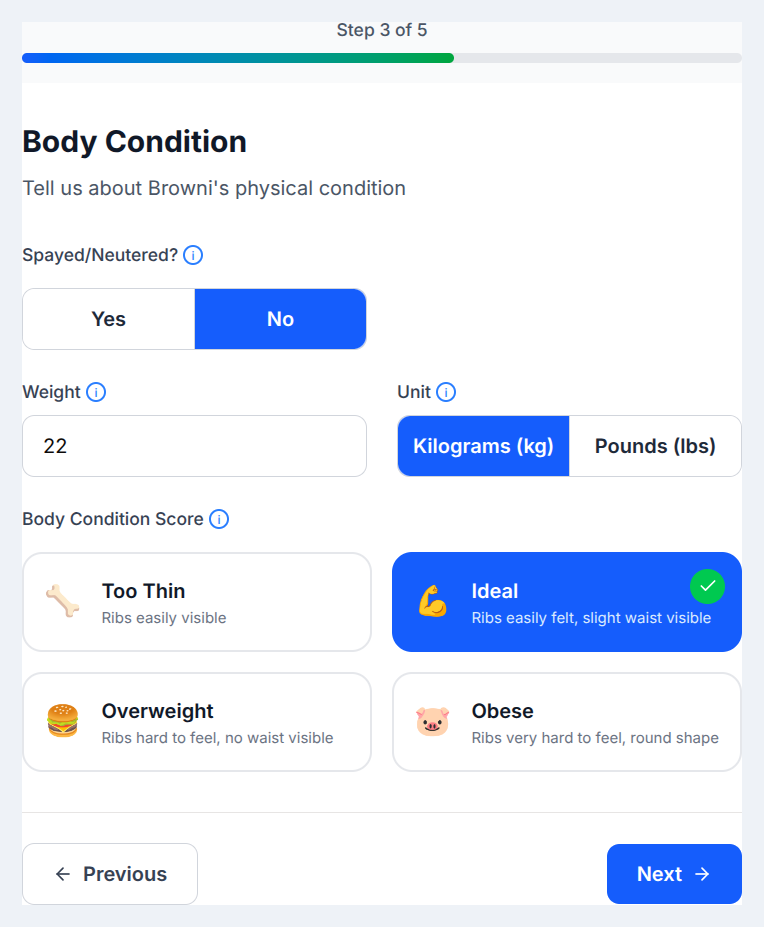
Step 3 of 5: Body condition, sterilization status, and weight.
Step 4 — Activity and goals. Pick activity level and whether you want your pet to lose, maintain, or gain weight.
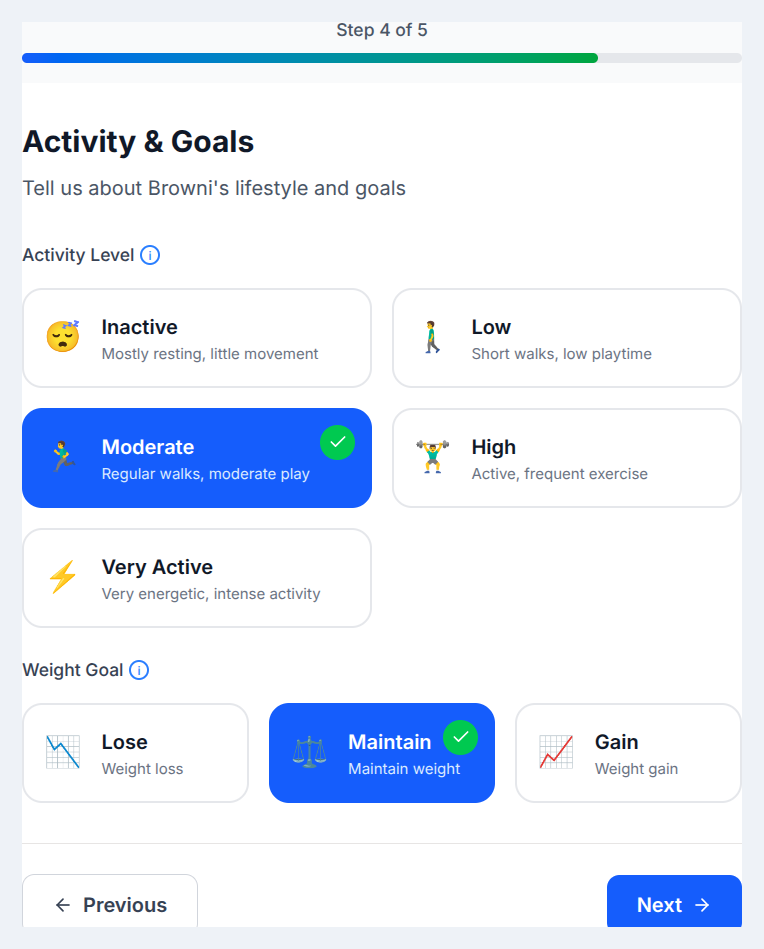
Step 4 of 5: Activity and goals.
Step 5 — Food details. Enter kilocalories per unit from the label (calorie statement) and choose cup, 100 g, or ounce. The on-screen tip reminds you where brands usually print kcal.
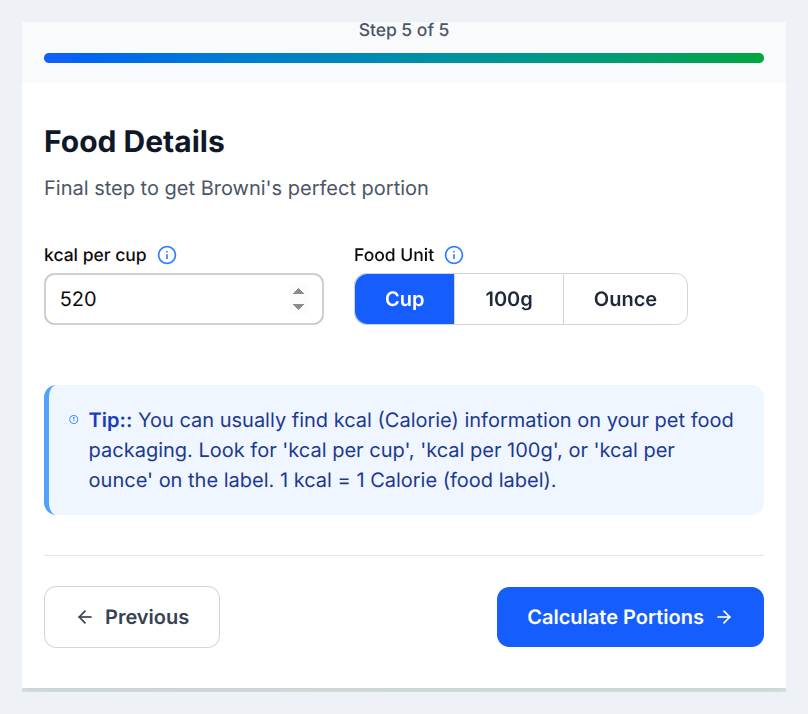
Step 5 of 5: Food calorie density — then Calculate portions.
Results. You get estimated daily calories (RER and MER), a suggested daily portion in your chosen unit, meals per day, and portion per meal, plus a recap of what you entered. Always read the Important notice: these numbers are estimates—confirm changes with your veterinarian.
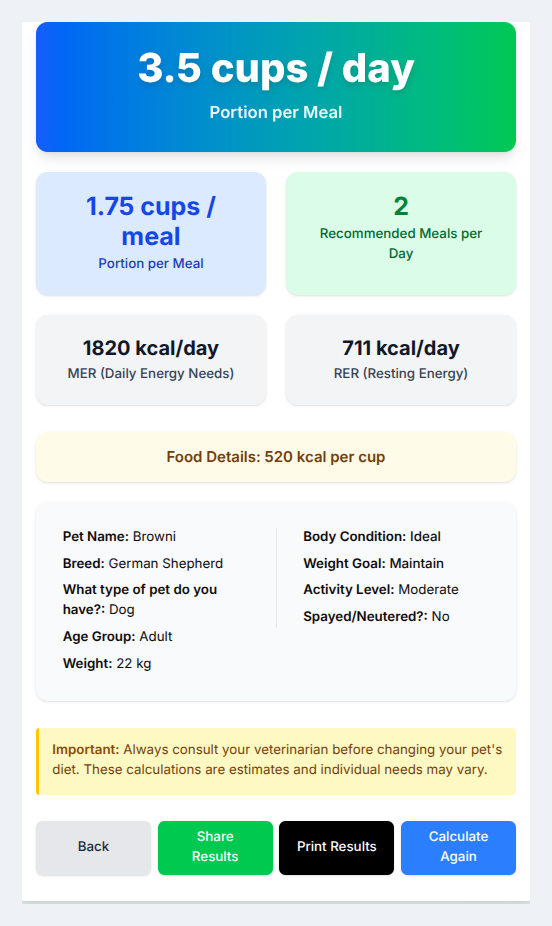
Results: daily amount, per-meal split, RER/MER, and inputs summary.
What the calculator does (in plain terms)
The calculator estimates how many kilocalories per day your dog or cat likely needs for maintenance or for a lose / maintain / gain goal, then divides that number by the calorie density of your diet (kcal per cup, per 100 g, or per ounce—whatever you select) to suggest a daily portion and a per-meal split.
Conceptually, it follows the same nutrition language you will see across our guides:
- RER (Resting Energy Requirement) — baseline calories at rest.
- MER (Maintenance Energy Requirement) — adjusted for life stage, activity, body condition, and goals—the number you actually feed to most adult pets at maintenance or when managing weight in a structured way.
You do not need to do the math by hand unless you want to; the tool applies the steps for you. If you enjoy understanding the “why,” the two articles above are the right deep dives.
What you will be asked (and why it matters)
Typical inputs include:
- Species (dog or cat) — cats and dogs are not fed with the same assumptions.
- Life stage (puppy, kitten, adult, senior) — growth and aging change calorie needs.
- Spay/neuter status — sterilized pets often need fewer calories than intact pets at the same weight; we explain the science in the metabolic impact of spaying and neutering.
- Weight (kg or lb) — RER scales with body size.
- Body condition — whether your pet looks too thin, ideal, overweight, or obese helps the estimate reflect reality better than weight alone. Learning to score this at home helps: body condition score (BCS) and how we use BCS in meal planning.
- Activity level — from mostly indoor and quiet to very active; this is one of the biggest reasons two pets of the same weight eat different amounts.
- Weight goal — lose, maintain, or gain (always interpret “lose” or “gain” alongside your vet if there is illness or unexplained weight change).
- Food calories per unit — you enter kcal per cup, per 100 g, or per ounce from the label. That step is what turns “X kcal per day” into “Y cups per day.” Our guide the calorie statement: your key to accurate portioning shows exactly where to find those values.
Meal frequency: the tool suggests a typical split (for example, more meals per day for cats than for dogs in many cases). You can still match your household schedule as long as total daily calories stay consistent and your vet agrees.
When to use the meal planner / calculator
Use it when you want a structured starting point for:
- Switching foods (calorie density changes—portion size must change too).
- Puppies and kittens (growth increases needs—but severe orthopedic risk from overfeeding is a real topic; pair with your vet for large-breed puppies).
- Adults at maintenance when bag charts and appetite disagree with body condition.
- Weight management as part of a plan you have agreed on with your veterinarian (especially for cats, where rapid weight loss is dangerous). Our feline obesity management article covers the bigger picture.
- Mixed feeding when you are combining products—you still total kcal from all components. For dogs mixing wet and dry, see how to calculate calories when mixing wet and dry dog food. For cats, start with wet vs. dry cat food and mixed feeding.
- Homemade or combined diets only when a professional has ensured the recipe is complete and balanced; then you still portion by kcal. See homemade dog food: a vet-approved approach.
When to involve your veterinarian first
The calculator provides estimates. Individual metabolism, disease, medications, and recovery from surgery all change needs. Talk to your vet before relying on a new calorie target if your pet is pregnant or lactating, has a diagnosed medical condition (diabetes, kidney disease, pancreatitis, cancer, hyperthyroidism, etc.), is on a prescription therapeutic diet, has unexplained weight loss or gain, or is a growth-stage large or giant breed where orthopedic risk matters.
The in-app note applies here too: always consult your veterinarian before changing your pet’s diet; use the output as a discussion tool, not a substitute for diagnosis or treatment.
The bottom line
Our calculator connects three things pet parents actually need together: your pet’s profile, a daily calorie target grounded in RER/MER thinking, and a portion suggestion tied to the real calorie statement on the food in the bowl—plus links in this guide for mixed feeding, BCS, spay/neuter metabolism, and label reading.
Ready to try it? Open the pet food portion calculator, keep how to read the calorie statement handy, and recheck body condition every few weeks so you can adjust with reality—not just with math.
Related: RER explained · MER explained · Why bag feeding charts fail


